Sidekick Robotics™ is formally introducing the beta of the Builder Plan, a foundational, self-serve development tier toolchain designed to bridge the gap between model intelligence and physical robotic deployment. Built for engineers, researchers, and technical builders, Builder delivers a unified, 100% robotics-native infrastructure stack for model access, tagging, routing, training, inference, and robot management.
Plan architecture and commercial terms
Subscription rate
$7.00 per week
Complimentary trial
The initial week is free for new developers
Billing protocol
Automated recurring weekly billing begins after payment method verification
Access portal
Available immediately through the secure platform login
Supported ecosystem and infrastructure integration
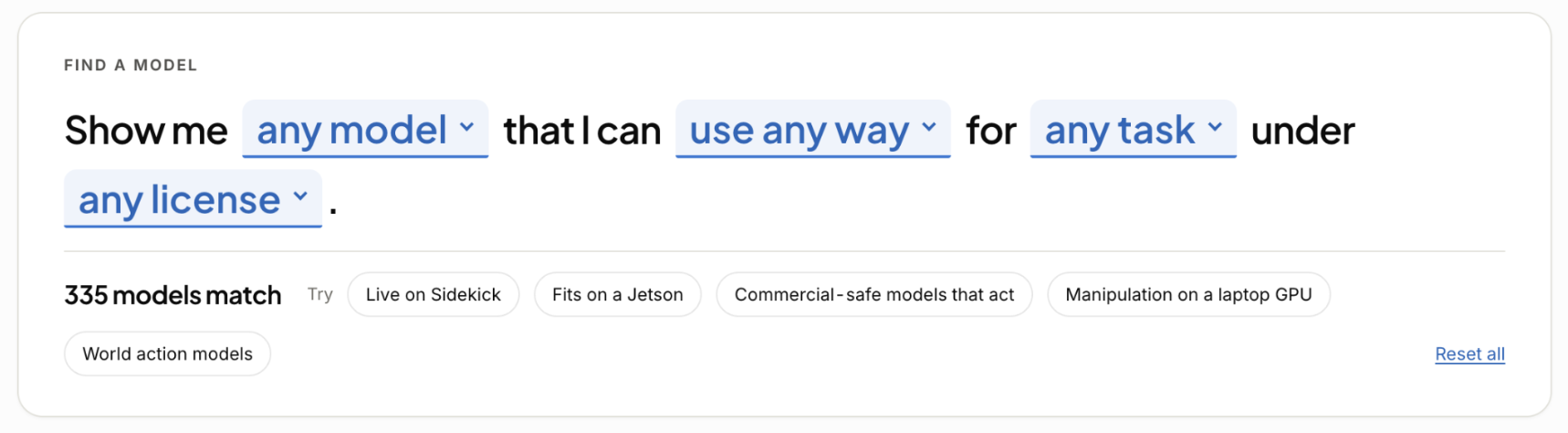
Find the right model by task, license, deployment target, and hardware fit.
Builder is neutral across compute, robots, and AI brains. It provides out-of-the-box compatibility with 10+ AI model checkpoints, including NVIDIA Flora/Cosmos, AllenAI MolmoAct2, Black Forest Labs FLUX 3 Action, Dream Labs Dream-1-Beta and Dream-1-Beta-Flash, Perceptron AI Isaac0.5 and Mk1.5, Physical Intelligence π0.5 and π0, and Google DeepMind Gemini Robotics 2, with more added weekly.
The plan supports native integrations for Trossen, Anvil, and Pollen Robotics hardware, including the MicroDuck robot, with automated device detection. Compute support spans NVIDIA, Intel, and AMD hardware.
Core capabilities
- Advanced model routing and inference with automated fallback across cataloged providers.
- Training workflows for behavioral cloning, diffusion policies, action chunking architectures, and fine-tuning.
- AI-based data annotations through built-in evaluation pipelines leveraging NVIDIA Flora models.
- Native deployment linkage for physical robotic arms and scene-overview monitoring cameras.
Technical primitives for builders
Model Hub metadata
Availability, pricing, runtime location, minimum memory, parameters, license, task, speed, inputs, outputs, and real-robot testing status are surfaced at the model level.
Project priorities
Choose up to 12 models per project, mark a primary model, and dry-run routes before execution. Priority models are marked throughout the Hub.
Private checkpoints
Register a workstation path or Hugging Face model ID with its kind and parent checkpoint without uploading weights. Publish a checkpoint when it is ready to become a callable router endpoint.
Availability states
The catalog distinguishes Live, Open Weights, API, Closed, Coming Soon, and Research models so teams can evaluate access and deployment constraints up front.
Model Hub, search, and checkpoints
Six availability states
Models are identified as Live, Open Weights, API, Closed, Coming Soon, or Research, making access and deployment constraints visible before selection.
Model-level specifications
Cards expose type, contracts, action spaces, embodiments, provider, price, median latency, links to weights, code, papers, and project pages, with expanded details for runtime, minimum VRAM, parameters, license, task, speed, inputs, outputs, and real-robot testing.
Plain-English discovery
Search by model type, deployment target, task, and license. Research-only models remain hidden until Show the papers is selected.
Project priorities
Choose up to 12 models from the catalog or your own checkpoints. The first is primary, priority models are starred across the Hub, and each row supports dry runs, optimization, making primary, or removal.
Private checkpoint registry
Register a workstation path or Hugging Face model ID with its kind and parent checkpoint without uploading weights. Checkpoints remain private until published as callable router endpoints.
Community signal
Model upvoting is planned to help developers signal which models are most useful and help keep the Hub current.
Models, routing, and deployment
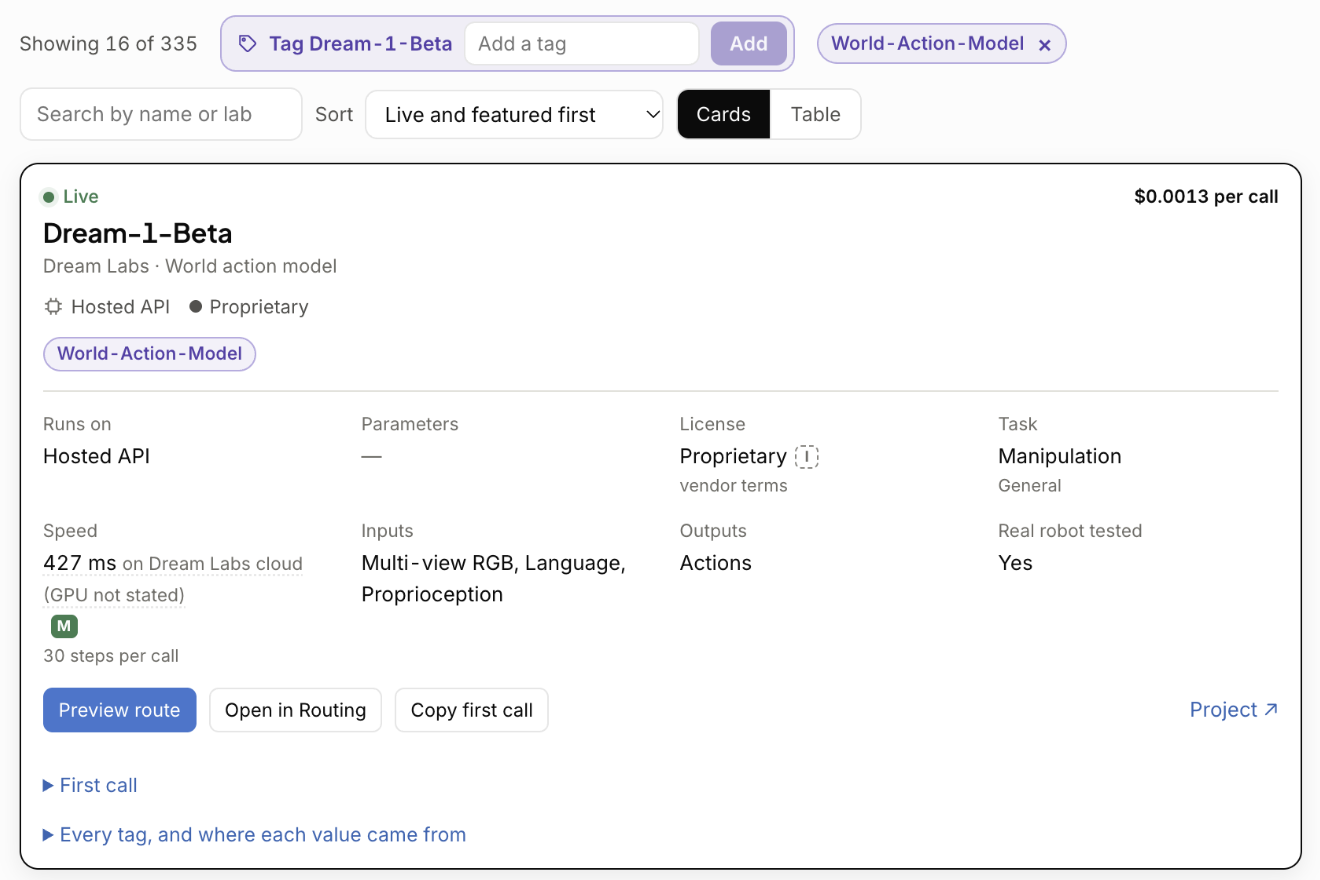
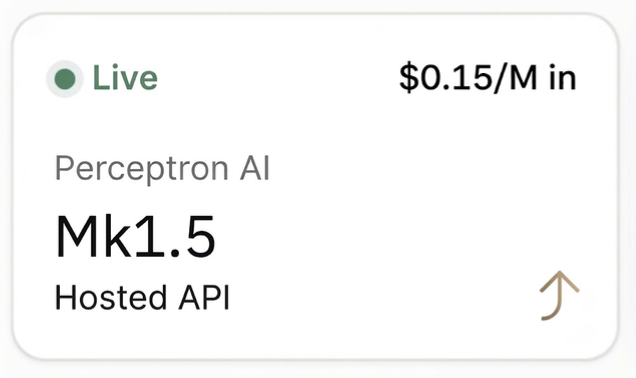
The Model Hub is a unified catalog for frontier closed, frontier open, and research-grade physical AI models. Each model can show availability state, pricing, where it runs, hardware and minimum memory, parameters, license, task, speed, inputs, outputs, and whether it has been tested on a real robot. Developers can shortlist up to 12 models per project, choose a primary model, and dry-run routes before execution.
Builder provides one request shape across models and providers, with dedicated endpoints for actions, predicted frames, grounding, and evaluation. Developers can target exact checkpoints or use dynamic aliases such as sidekick/auto, sidekick/fastest, and sidekick/cheapest, with variant suffixes for latency, throughput, price, or precision. Dry-run route planning, traces, analytics, and auditing show execution paths, fallbacks, costs, and whether execution occurred on-device or in the cloud.
Patent-pending edge routing supports offline control loops that run models directly on hardware at high frequencies, without requiring an active internet connection or cloud round-trips.
/v1/act → action steps, billed per action step
/v1/predict → predicted future frames, billed per frame
/v1/ground → normalized points and boxes, billed per token
/v1/evaluate → benchmark episodes, no per-call fee
Exact checkpoint paths support reproducibility, while aliases such as sidekick/auto, sidekick/fastest, and sidekick/cheapest select from current live offerings. Variant suffixes such as :turbo, :nitro, :floor, and :quality prioritize latency, throughput, price, and precision respectively.
Routing follows a six-stage, router-managed lifecycle. Specificity wins when controls overlap: provider sort takes precedence over a performance variant, which takes precedence over a request preference. Workspace-level safeguards and key controls can be enforced across calls, while the same request shape and API key work across providers.
Planning, traces, and edge operations
Dry-run route planning previews execution paths, dropped offerings, placeholder supply, and estimated costs without billing or running a model. Traces record request IDs, targeted models, provider pools, fallbacks, escalations, and whether execution happened on-device or in the cloud.
For edge deployments, administrative utilities configure site constraints, hardware accelerators, capacity sizing, and network uplinks through POST /v1/edge/plan and GET /v1/edge/setup. Local control loops can run at frequencies such as 10 Hz without cloud round-trips.
Why a dedicated industry-neutral physical AI platform
Sidekick Robotics is purpose-built for the physical domain, with infrastructure designed around physics, multi-camera spatial streams, and action-step execution rather than generalized NLP or computer vision. Builder unifies model hosting, training, routing, live physical execution, learning in deployment, and robot management in one workflow.
Neutral across compute, hardware, and model architectures: bring your own robots, preferred silicon, and custom weights.
Open and closed source support: leading open models and closed models that work with Sidekick can be listed in the Model Hub.
Cloud and edge continuity: inference and routing remain available when a robot has reliable connectivity and when it does not.
An extension of an existing development environment, adapting to the team’s stack rather than forcing a new one.
Ready to build?
Start with Builder.
Learning Loops, Flywheel, Private Model, and Evals are available through an Enterprise plan upgrade.